

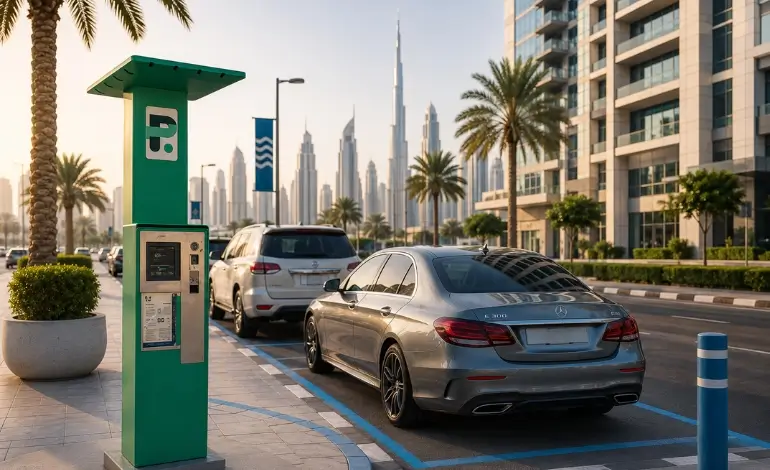
If you're wondering how to pay parking in Dubai, you'll be pleased to know that the process is simple, fast, and mostly digital. Whether you're a resident, tourist, or expatriate, Dubai offers several official ways to pay for public parking, including the Parkin app, SMS, WhatsApp, parking machines, and secure digital payment options.
Dubai's public parking system is designed to make parking convenient while helping drivers comply with local regulations. Before making a payment, always check the parking zone code displayed on nearby signs, select the correct parking duration, and keep your payment confirmation until you leave.
This guide explains every official payment method, provides step by step instructions, highlights common mistakes that lead to fines, and shares practical tips to help you park confidently across Dubai.
Quick Answer
You can pay for public parking in Dubai using the official Parkin app, SMS (7275), the Mahboub WhatsApp chatbot, parking machines, or supported digital payment methods. Before paying, always check the parking zone code, vehicle plate details, and parking duration to avoid fines.
How Does Parking Payment Work in Dubai?
Dubai operates a structured paid parking system covering thousands of public parking spaces across commercial, residential, and mixed-use areas. Public parking operations are managed by Parkin, while many transport-related services and customer channels continue to be available through the Roads and Transport Authority (RTA).
Parking areas are divided into different parking zones, each identified by a unique zone code displayed on parking signs. These codes determine the applicable parking tariff and must be entered correctly when making payment.
Most parking sessions are now managed digitally, allowing drivers to:
- Pay from their smartphone
- Extend parking remotely
- Receive payment confirmations
- Reduce the risk of parking violations
Before paying, always check:
- Parking zone code
- Vehicle plate number
- Emirate of registration
- Allowed parking duration
- Parking restrictions shown on nearby signs
Entering the wrong zone or vehicle details can result in a parking fine even if payment has been made.
Dubai Parking Fees
Parking charges in Dubai vary depending on the parking zone, location, time of day, and whether the area is classified as a standard or premium parking zone. Always check the tariff displayed on the parking sign or in the Parkin app before confirming your payment, as parking fees and operating hours may change.
Official Ways to Pay Parking in Dubai
Dubai offers several official methods for Dubai parking payment, allowing drivers to choose whichever option is most convenient.
Parkin App
The Parkin app is one of the easiest and most convenient ways to pay for public parking in Dubai.
How to use the Parkin app
- Download the Parkin app from your device's app store.
- Create an account.
- Register your vehicle details.
- Select the parking zone.
- Choose your parking duration.
- Pay securely using your preferred payment method.
- Receive instant confirmation.
One of the biggest advantages of the app is that you can extend your parking session remotely without returning to your vehicle, provided the parking location allows extensions.
The app also stores payment history, making it easier to manage frequent parking sessions.
SMS Parking
Many drivers still prefer Dubai parking SMS because it is quick and works without downloading an app.
To pay by SMS:
- Open your messaging application.
- Create a message using the required parking format shown on official parking signs. Example: If your vehicle is registered in Dubai, the SMS should follow the format displayed on the official Parkin parking sign, including your plate code, plate number, parking zone, and duration. Vehicles registered in other emirates follow different official SMS formats. Always use the format shown on the parking sign or in the official Parkin guidance.
- Send the message to 7275 (PARK).
- Wait for the confirmation SMS.
- Keep the confirmation until your parking session ends.
If you need additional time, you can usually extend your session by following the instructions provided in the confirmation message before the parking period expires.
Always ensure the plate number, emirate, zone code, and duration are entered correctly.
WhatsApp Parking
Dubai also offers Dubai parking WhatsApp services through the official Mahboub chatbot. The official Mahboub WhatsApp parking service is available through +971 58 800 9090. Ensure you are using the official verified Mahboub WhatsApp account before sharing any vehicle or payment information
Using WhatsApp parking is straightforward:
- Open the official Mahboub WhatsApp service.
- Follow the guided prompts.
- Enter your vehicle details.
- Select the parking zone.
- Choose your parking duration.
- Confirm payment.
Compared to SMS, WhatsApp provides a more interactive experience with guided instructions, reducing the chances of entering incorrect information.
Parking Machines
Traditional parking machines remain available in many public parking locations.
Depending on the location, parking machines may accept coins, bank cards, Nol Cards, or contactless card payments. Available payment methods vary by machine.
After payment, follow any instructions displayed by the machine. Some machines require a printed ticket to be displayed, while others register the payment electronically.
Parking machines remain useful for visitors who prefer not to use mobile payment options.
Digital Wallets and Online Payments
Many drivers prefer cashless Dubai parking payment options.
Apple Pay, Google Pay, credit cards, debit cards, and Parkin Wallet are supported through the Parkin app, depending on the selected payment method.
Digital payments provide quick confirmations and make it easy to extend parking remotely without returning to your vehicle.
Step by Step Guide to Paying for Parking
Follow these simple steps every time you park.
- Park your vehicle legally within marked parking bays.
- Locate the parking zone code on the nearest parking sign.
- Choose your preferred payment method, such as the Parkin app, SMS, WhatsApp, or a parking machine.
- Select the correct parking duration.
- Confirm your payment and keep the confirmation message or receipt.
- If you need more time, extend your parking session before it expires.
Following these steps can help you avoid unnecessary parking penalties.
How to Extend Parking Time
Sometimes meetings take longer than expected or plans change. Fortunately, Dubai makes it easy to extend your parking session.
Using the Parkin App
Open the app, locate your active parking session, and select the extension option if available.
Using SMS
If your parking session qualifies for an extension, simply follow the instructions received in your confirmation SMS before the session expires.
Using WhatsApp
The Mahboub chatbot also allows eligible parking sessions to be extended without returning to your vehicle.
Parking extensions are available only where permitted for the selected parking zone. If extensions are not allowed, you must move your vehicle before the session expires to avoid a parking violation.
Common Parking Mistakes That Lead to Fines
Many parking fines occur because of simple mistakes rather than intentional violations.
Common examples include:
- Entering the wrong parking zone code
- Typing an incorrect vehicle plate number
- Allowing the parking session to expire
- Parking in restricted or prohibited areas
- Assuming parking is free during certain hours without checking the signs
- Selecting the wrong emirate registration when paying by SMS
Always review your payment details before confirming the transaction.
Tips to Avoid Parking Fines in Dubai
Following a few simple habits can save both time and money.
- Double check the parking zone code before paying.
- Verify your vehicle plate number carefully.
- Set a reminder before your parking session expires.
- Save your payment confirmation.
- Extend your parking session early if needed.
- Always use official Parkin or RTA payment channels.
Beware of Fake Parking QR Code Scams
Dubai authorities have warned motorists about fraudulent QR code stickers placed over official parking signs. These fake codes may redirect users to fraudulent payment websites designed to steal banking information. Always pay through the official Parkin app, Parkin website, or trusted RTA channels instead of scanning unfamiliar QR codes.
Comparison of Dubai Parking Payment Methods
| Payment Method | Fast | Extend Remotely | Cashless |
|---|---|---|---|
| Parkin App | ✔ | ✔ | ✔ |
| SMS | ✔ | ✔ | ✔ |
| ✔ | ✔ | ✔ | |
| Parking Machine | ✔ | ✘ | Depends |
| Digital Wallet (via App) | ✔ | ✔ | ✔ |
Quick Parking Checklist
Before leaving your vehicle, make sure you have completed the following:
- Check the parking zone code.
- Confirm your vehicle plate number.
- Select the correct parking duration.
- Save your payment confirmation.
- Extend your session before expiry if required.
- Park only in permitted parking areas.
Frequently Asked Questions
Note: Parking zones, operating hours, payment methods, and tariffs may change over time. Always check the latest information through official Parkin and RTA channels before parking.
Conclusion: How to Pay Parking in Dubai
Understanding how to pay parking in Dubai helps drivers avoid fines while enjoying a smooth parking experience. Whether you choose the Parkin app, SMS, WhatsApp, parking machines, or digital wallet payments, Dubai offers multiple secure and convenient ways to manage public parking.
Always verify your parking zone code, vehicle details, and parking duration before confirming payment. Using official Parkin and RTA payment channels, keeping your confirmation, and extending your session when needed will help ensure a hassle-free experience every time you park.
Source: This guide is based on publicly available information from Parkin and the Roads and Transport Authority (RTA). Parking rules, payment methods, tariffs, and operating hours may change, so always verify the latest guidance through official channels.
Drive with Confidence and Protect Your Vehicle
Parking safely is only one part of responsible driving. Protecting your vehicle with the right insurance is equally important.
Explore Car Insurance from Insure Now to compare coverage options that suit your driving needs across Dubai and the UAE. Whether you drive daily, occasionally, or are visiting the country, the right policy can provide financial protection, greater peace of mind, and support when unexpected incidents occur.
Related Dubai Parking and Driving Guides
Explore more guides covering parking rules, driving requirements, and vehicle-related topics in Dubai and the UAE.
Articles
- Abu Dhabi Free Parking
- Sharjah Car Parking Guide
- RTA Seasonal Parking Dubai Guide
- Dubai Parking and Salik Updates
